| Redress Manager 2026 Adding a Document |
   |
|
a) |
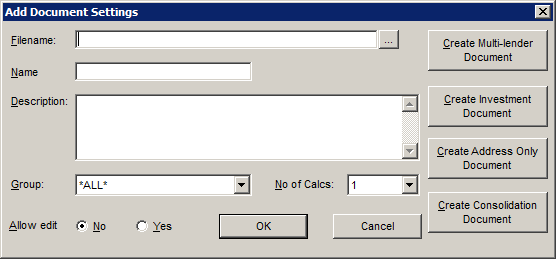
Filename is the name of the document to be used for mail merge |
|
b) |
Name is the name to reference the document by |
|
c) |
Description is a longer description of the mail merge letter |
|
d) |
Group is the group that can access the document |
|
e) |
No. of Calcs is the number of calculations (policies) the letter refers to |
|
f) |
Allow edit gives you the option to edit the template or not |
|
|
Browse for a document |
|
|
|
|
|
Save and Exit |
|
|
|
|
|
Cancel and Exit
Create a new word document for a multi-lender calculation
Create a new word document for an investment calculation |
|
|
Create a new word document regardless of calculation type. The client’s address however will be added to the letter. |
|
|
Create a new word document for a consolidation calculation |


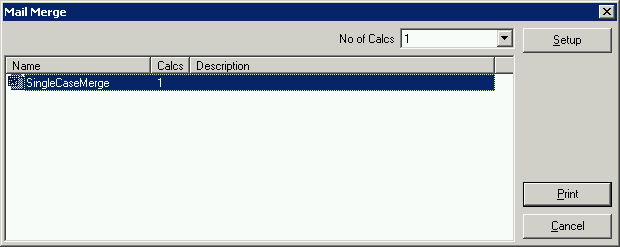


Please note that when you choose to create a new document of a specific type, this starts up Word with a default template. Text and mail merge fields may be added to this letter and it can then be saved for later use. It is important that you pick the correct type of letter as this will change the fields that may be used within the letter.
Related Topics
| Copyright© 1994-2026 Exasoft, All rights reserved. | |